Windows · Medical line · Clinical integration

Multi-vendor clinical
gateway for the edge.

RenniLink Integration Engine is original software, written from the ground up by RenniLink — not a reskin, fork, or wrapper of another integration product. It is a native Windows healthcare message platform: an embedded routing engine plus a full administrator console in one install. Connect devices and systems that speak HL7 v2, FHIR R4, MLLP, HTTP, file, serial and more; tag by vendor; store; transform; and route to EHR and other destinations — with optional Windows Service for 24/7 headless operation.

Original code · ground up No Java required No JVM · no browser admin .NET 8 self-contained
Original RenniLink code — built from the ground up · Not a public web download · sales@rennilink.com for demos, site packs, and licensing.

How the Integration Engine works

Original engineering, from the ground up. Designed as a single-host clinical edge gateway with its own channel pipeline, connectors, and native Windows console. No Java required — no JRE/JDK install, no JVM stack to patch or size for. No browser admin farm, and no multi-node cluster as the default footprint.

01

Channel pipeline

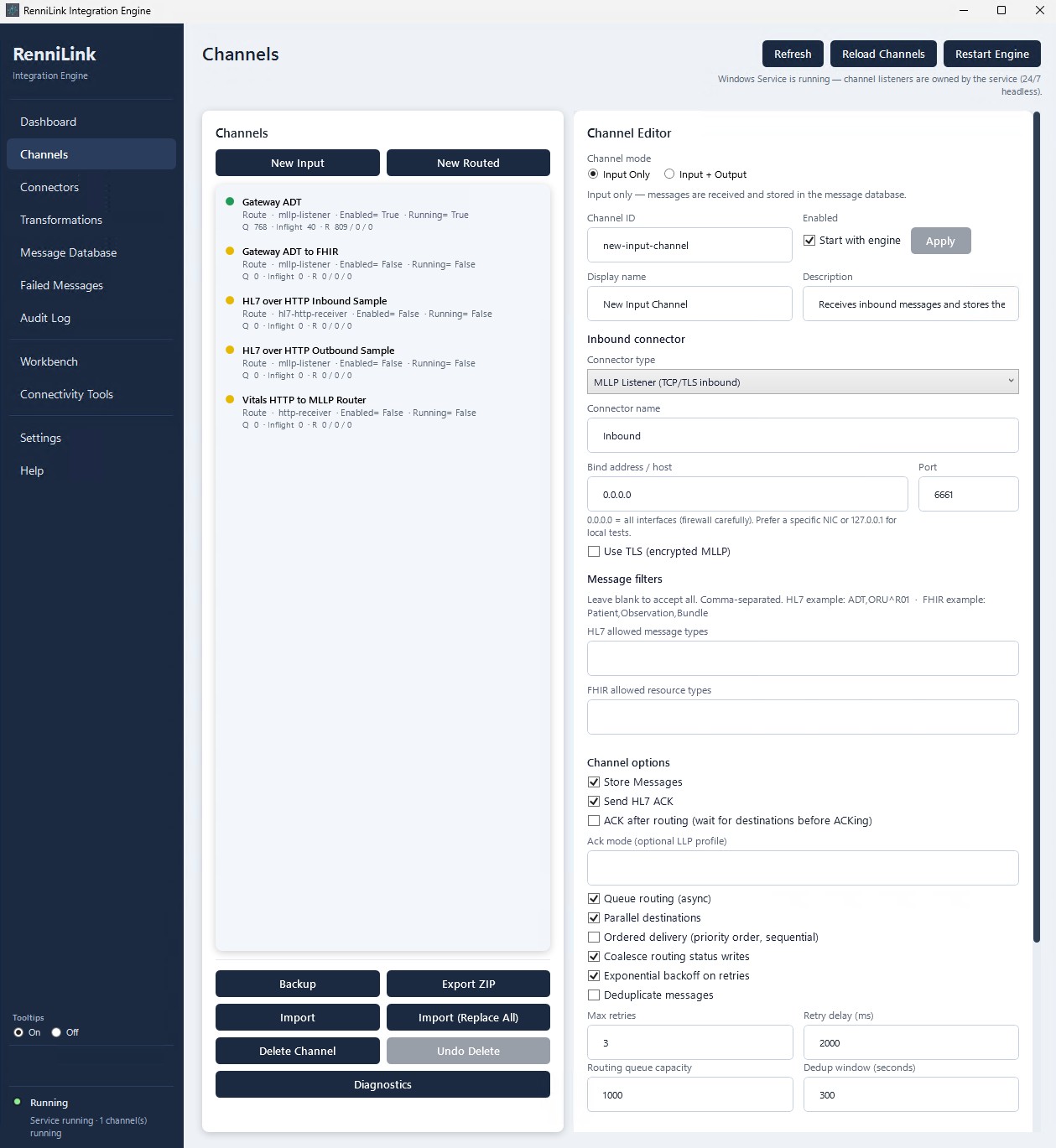
Messages move through JSON-defined channels: source → filter / transform → destination(s) with retries, ACK timing, ordered or parallel delivery, and operator-visible health. Channels can be designed, tested, deployed, enabled, and disabled from the desktop console.

02

Connectors

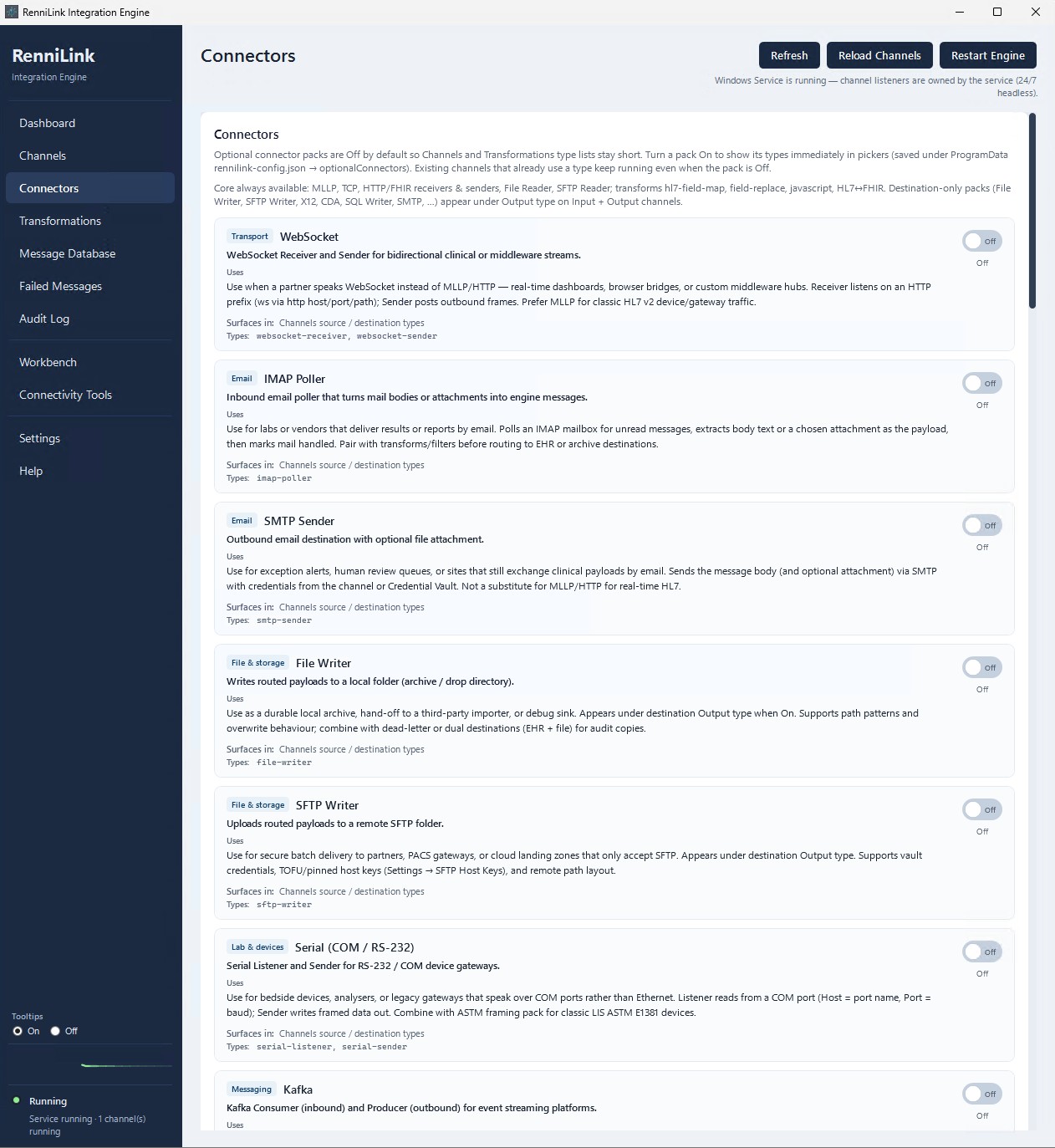
Full connector set for clinical edge and common cloud/message-bus paths — see the complete list in Connectors below.

03

Transforms

Message-type filters, field maps, sandboxed JavaScript (incl. LDAP helpers), vendor presets, and HL7 ↔ FHIR paths. A vendor-tag transform stamps vendor identity from MSH-3 or channel settings for multi-vendor routing.

04

Message database

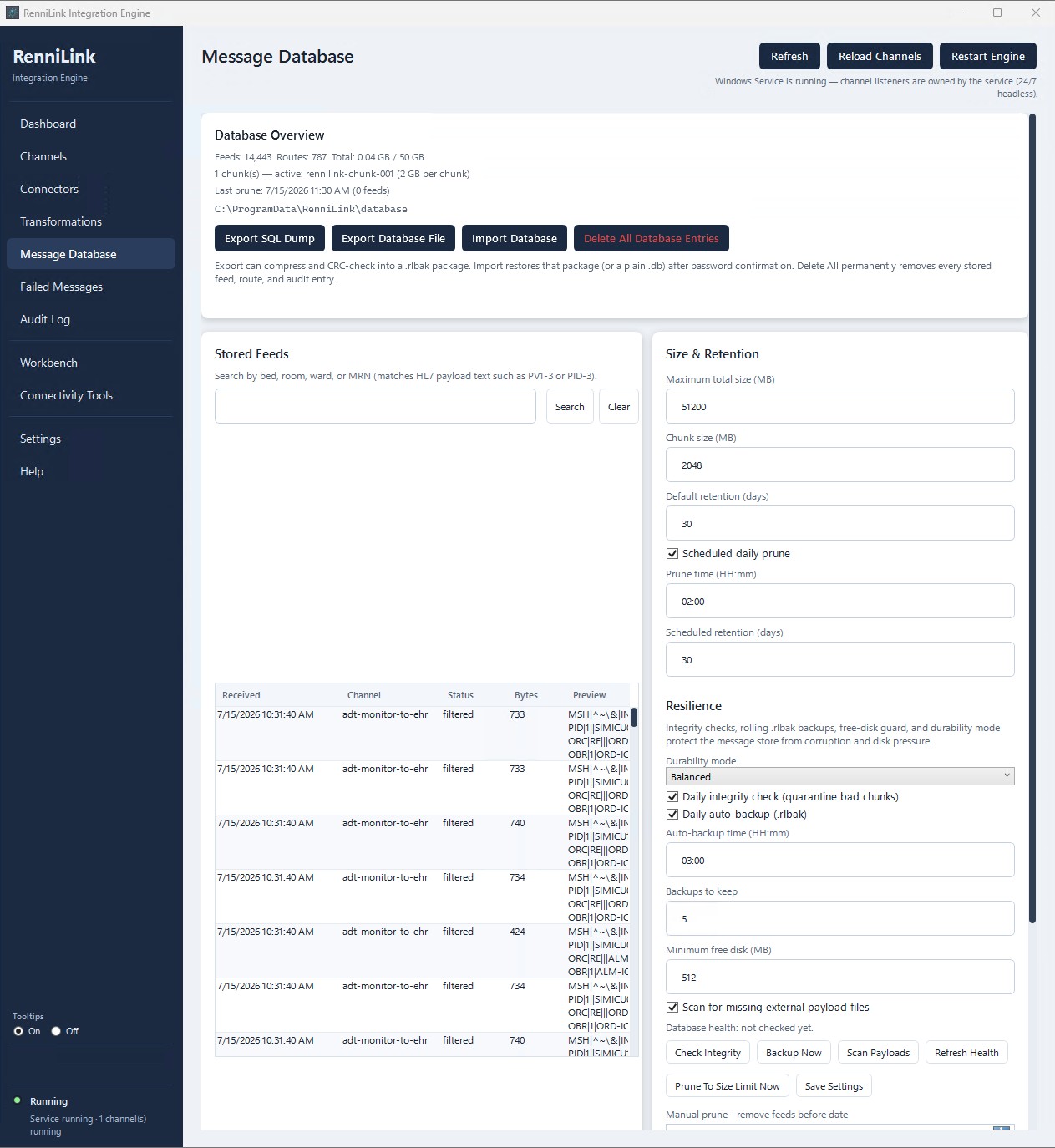
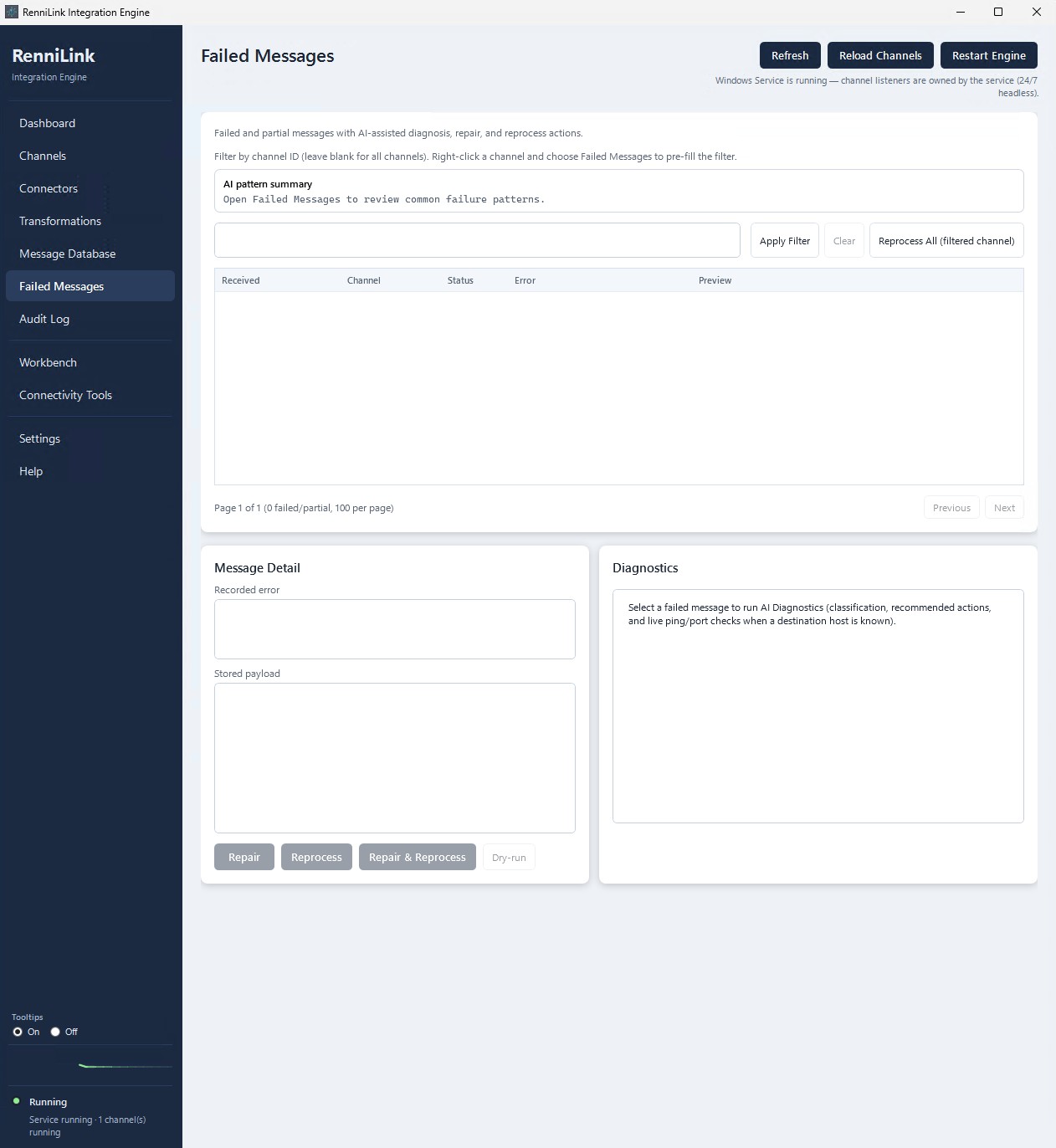
Full inbound payload store with prune, export / import (.rlbak + CRC), integrity checks, auto-backup, and quarantine. Operators can reprocess and dry-run from Failed Messages with live DNS / ping / TCP diagnostics.

05

Workbench & simulator

Validate HL7, English decode, send MLLP, dry-run a channel, range replay, bedside simulator, and clinical toolbox (multicast discovery, connectivity, hosts).

06

Security model

Application password (PBKDF2), DPAPI channel secrets, credential vault, certificate inventory, optional inbound API keys (header / Bearer), localhost Admin API fail-closed with required API key, body size caps, factory reset.

Full connector list

Sources and destinations you can wire into channels. Optional packs can be left off; core clinical paths (especially MLLP) stay first-class.

HL7 · MLLP · TCP

  • MLLP listener — HL7 v2 inbound (optional TLS)
  • MLLP sender — HL7 v2 outbound
  • TCP listener / TCP sender
  • HL7 over HTTP receiver / sender

HTTP · FHIR · WebSocket · gRPC · SOAP

  • HTTP receiver / HTTP sender (webhooks; optional API key, HMAC/mTLS patterns)
  • FHIR R4 receiver / FHIR R4 sender
  • WebSocket receiver / WebSocket sender
  • gRPC sender
  • SOAP sender

File · SFTP · FTPS · object storage

  • File reader / File writer
  • Binary file reader / Binary file writer
  • SFTP reader / SFTP writer
  • FTPS reader / FTPS writer
  • S3 reader / S3 writer
  • Dead-letter writer

Message bus · cloud queues

  • Kafka consumer / Kafka producer
  • MQTT subscriber / MQTT publisher
  • NATS subscriber / NATS publisher
  • Azure Service Bus receiver / sender
  • AWS SQS receiver / sender

SQL · serial · email

  • SQL poller / SQL writer
  • DB poller / DB writer
  • Serial listener / Serial sender (COM ports)
  • SMTP sender
  • IMAP poller

DICOM · clinical documents · EDI

  • DICOM C-STORE SCP / C-STORE SCU (thin)
  • DICOM MWL SCP / MWL SCU
  • CDA document writer
  • MHD document sender
  • X12 reader / X12 writer (basic EDI)

Connectors are used as channel sources and destinations. Exact options depend on channel JSON configuration and which optional packs are enabled on the host.

Native stack · operator-first

Runtime

Windows + .NET 8

  • No Java required — pure .NET 8; no JRE, JDK, or JVM
  • WPF desktop — Dashboard, Channels, Transforms, DB, Diagnostics, Workbench, Audit, Settings, Help
  • Embedded engine — same process as the admin UI when interactive
  • Windows Service — optional; owns channel listeners headless 24/7
  • Self-contained Setup.exe — runtime bundled; single installer
Fit

When to choose this engine

  • Windows clinical server or workstation gateway
  • MLLP / HL7 / bedside → EHR is the main job
  • One site / one gateway role — not multi-hospital clustering
  • Operators need a clear desktop console, not a browser farm
  • You want RenniLink-owned original code, not a rebranded third-party stack
CapabilityIntegration Engine
Channel modelJSON channels · receive → filter/transform → route → retry/ACK
HL7 v2 / MLLPFirst-class TCP/MLLP (optional TLS)
FHIR R4Receiver / sender + transforms
Multi-vendorVendor catalog · vendor-tag · multi-vendor sample channels
ReliabilityCircuit breaker · connection pool · poison handling · reprocess
AdminNative WPF — no browser admin console
RuntimeNo Java required · no JVM · .NET 8 self-contained
InstallSingle Setup.exe · runtime bundled

Administrator console

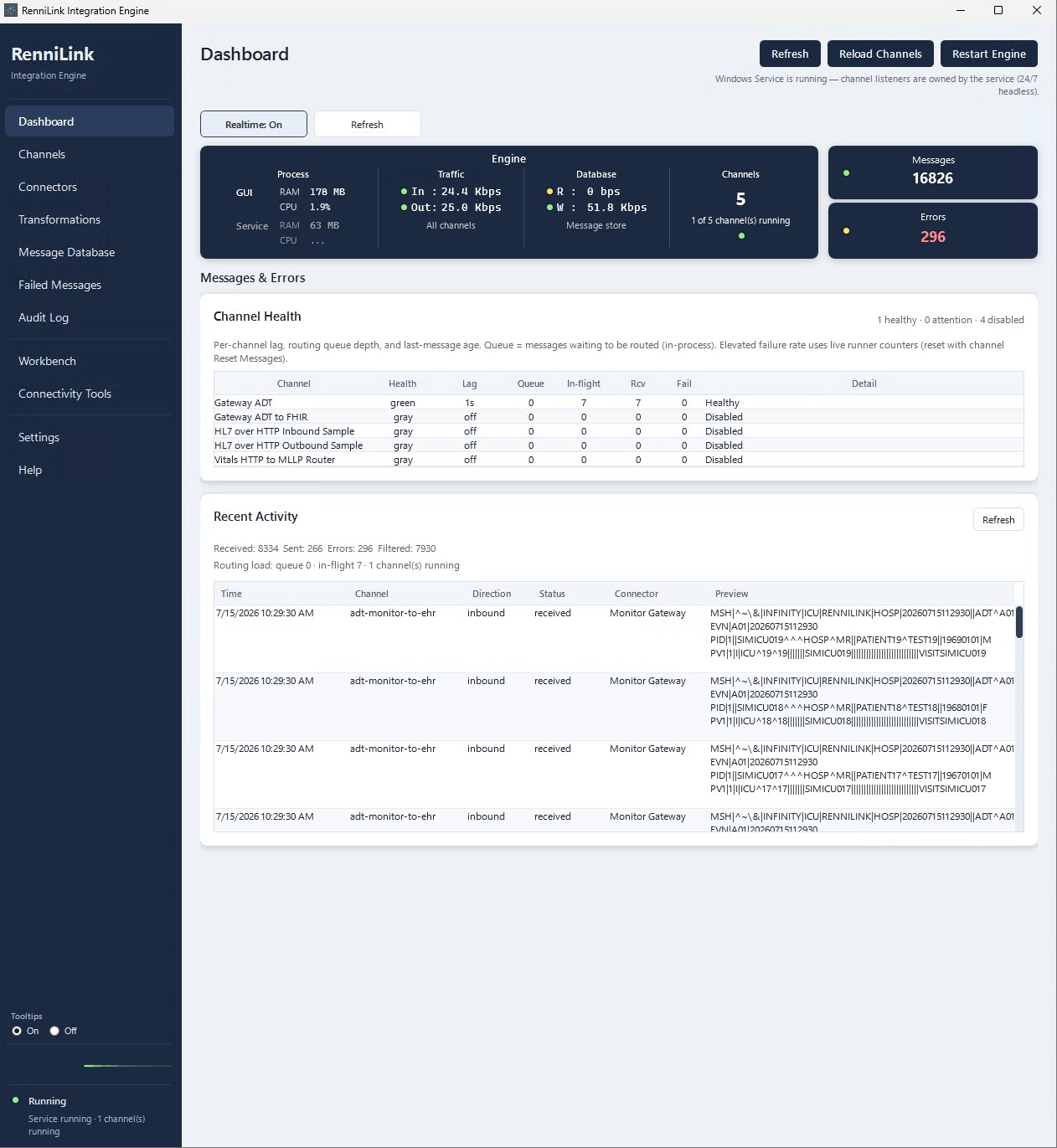
Native blues-and-whites UI — engine health, channels, connectors, and diagnostics without leaving the desktop. Click any screen for a larger view.

Platform & deploy

Platform

  • Windows 11 or Windows Server 2022+ (64-bit)
  • Self-contained installer bundles .NET 8
  • Firewall rules for configured MLLP / connector ports
  • First launch may request elevation (UAC) for machine setup

Deploy

  • Single Setup.exe — runtime included
  • Local message store, logs, and configuration on the host
  • Optional Windows Service checkbox at install
  • Sample channels + PDF documentation included

Contact sales

RenniLink Integration Engine

Demos, site packs, and commercial terms — not a public web download.

Contact sales