Beta · ground-up original engine · Linux trial now · Windows coming soon

Enhance. Edit.
Elevate.

RenniLink Photographer is an original, ground-up pro photo engine — designed and written by RenniLink as one coherent system, not a reskin of open-source editors and not a thin shell over someone else’s RAW SDK. Full layer stack with masks and blend modes, multi-brand high-quality RAW (Canon CR2, Nikon NEF, Adobe DNG and more), a complete Pro Studios suite (Portrait · Light · Toning · Denoise · Curves · Levels · B&W Pro), Apex Sharpen, non-destructive Develop, and clean export — shipping as a self-contained desktop appLinux x64 trial available now; Windows coming soon.

Beta Features and UI may still change — evaluate with your own backups before production jobs.

Built for real desktops: open a frame (JPEG or RAW), develop it live, retouch with Pro Studios, stack layers and masks, and ship the final — without installing a system .NET runtime, without a mandatory cloud account, and with first-class full Linux support (not an afterthought port).

Ground-up original code Linux x64 now · Windows soon First-party RAW · layers · Pro Studios Lifetime £119 · 1 PC · limited-time offer
Ground-up engine · original first-party imaging · Linux x64 trial now · Windows coming soon · pro layers · high-quality CR2 / NEF / DNG · all Pro Studios · multi-CPU Apex Live · 14-day trial · Beta.

Built from the ground up — not a fork, not a wrapper

RenniLink’s ethos is engine building. Photographer is original code: RAW decode, demosaic, colour, Develop, layer compositor, Pro Studios, Apex Live preview, export and print — designed as one workstation, not a pile of plugins on a borrowed host.

Original engine

First-party imaging stack

  • Ground-up codebase — written for RenniLink Photographer, not a rebrand of GIMP, Darktable, or a commercial OEM SDK
  • First-party RAW path — demosaic, black-level, crop/geometry, colour matrix / grey-world WB toward sRGB
  • Layer engine — multi-CPU blend modes, masks, groups, clip, Blend If, adjustment layers
  • Pro Studios — Portrait, Light (PLZC), Toning, Denoise (ASNC), Curves, Levels, B&W Pro as real product engines
  • Apex Live — Instant → Refine → Settle progressive preview; ALSP fidelity on Portrait & Light
  • Apex Sharpen (SEC) — Spectral Edge Cascade capture/output sharpening
Desktop stack

How it ships

  • .NET 8 + Avalonia UI — modern cross-platform desktop, compiled for release
  • Self-contained publish — runtime travels with the app; end users do not install a system SDK
  • Skia portable native path for consistent drawing across distros
  • Multi-CPU throughout hot imaging paths (compositor, studios, denoise, demosaic work)
  • Offline licensing — trial gate + RSA-signed serials (RP1.…); no always-on DRM cloud
  • In-app Help — full User Guide for studios, RAW, layers, shortcuts

One coherent product, not a plugin host

Develop, layers, Loupe, Pro Studios, export, print, and Batch Studio share the same document model and history discipline. Portrait Studio Apply lands as a real layer + mask in that stack. RAW masters stay protected while projects live in .rlps sidecars. That is engine design — purpose before platform — not a generic photo browser with filters bolted on.

01

No third-party imaging SDK core

Imaging algorithms and studio pipelines are RenniLink first-party technology (Apex Live, ALSP, PLZC Light Studio, ASNC Denoise, SEC sharpen, layer compositor). UI framework and legal notices for Avalonia / Skia ship under legal/.

02

Performance-minded Release builds

Release publishes with full optimisations, ReadyToRun where applicable, and multi-CPU pixel work so large RAW + live studios stay interactive on modern desktops.

Splash — Photo Editing Perfected

The product identity is clear the moment the app opens: RenniLink Photographer, Enhance. Edit. Elevate.

High-quality multi-brand RAW — first-party, ground-up

Photographer’s RAW path is a first-party engine built into the product — for real camera files on your machine: full-frame and APS-C geometry, honest blacks, and colour that holds under develop — not a lowest-common-denominator thumbnail stretched to fill the canvas, and not a black-box OEM library with a RenniLink logo on top.

01

Canon CR2 · Nikon NEF · Adobe DNG

Professional RAW families including Canon CR2, Nikon NEF, and Adobe DNG (including ProRAW-style DNG where supported). Crop and geometry discipline for full-frame paths (e.g. 5D Mark II class files), adaptive black-level sanitising, and multi-brand safety so dark frames stay honest and odd sensors do not pink-clip the canvas.

02

Demosaic & high-bit path

First-party demosaic (Bayer / X-Trans-style paths) with body-aware behaviour where packs apply. 16-bit high-bit grading path available so develop and studios work with precision, not an 8-bit JPEG already flattened.

03

Colour science that holds

Camera matrix paths toward sRGB, grey-world absolute gains for white balance, and Develop controls that stay live on the canvas — exposure, temperature/tint, contrast, presence — without a sticky “preview only” feel.

04

Master protection

RAW masters are never overwritten by Save or Export. Projects write .rlps sidecars next to the file. Batch and export refuse paths that would clobber a protected RAW.

05

Open-with & single instance

Double-click a RAW or JPEG from the file manager: Photographer hands the file to the one running instance instead of spawning a pile of windows.

06

Offline trial → full unlock

Trial builds run full pro features for 14 days. Help → Activate with email + signed serial (RP1.…) unlocks and seals the license to that PC.

A real layer stack, not a single flattened bitmap

Photographer is built as a layer-based workstation: stack, mask, blend, and group the way finishing desks expect — then commit Portrait Studio retouch as a new layer + mask instead of baking the background forever.

Layer stack

Ordered layers with top-over-bottom compositing. Rename, reorder, show/hide, and keep multi-document tabs for several opens at once.

Blend modes & opacity

Full blend-mode set (Normal / Darken / Lighten / Contrast / Invert / HSL family) with multi-CPU compositing. Separate Opacity and Fill for PS-style strength control.

Layer masks

White reveals, black hides. Paint, invert, disable, apply, or build from selection. Density and feather for soft transitions — rubylith overlay while editing.

Groups · clip · link · Blend If

Group folders (Pass Through or Isolate), clipping masks, linked transforms, and Blend If–style luma gates with soft shoulders for advanced composite control.

Locks & adjustment layers

Lock All / Position / Image / Transparent. Adjustment layers grade without painting RGB; brush paints their mask instead of the pixels.

History & projects

Undo / Redo and History panel. .rlps projects store layers, groups, masks, adjustments, and session state — RAW masters stay protected on disk.

The full pro filter suite — every studio listed

Open from Filter on the menu bar, or the Filters panel PRO browser. Each studio is a free floating window with Apex Live preview (Instant → Refine → Settle). Portrait & Light also offer ALSP live fidelity (Fast / Balanced / Precision / Max).

Filter menu — Pro Studios

Top-level studios

  • Toning Studio — spectral pro grades · Soft Fade · warmth / contrast / sat / shadow / highlight / clarity
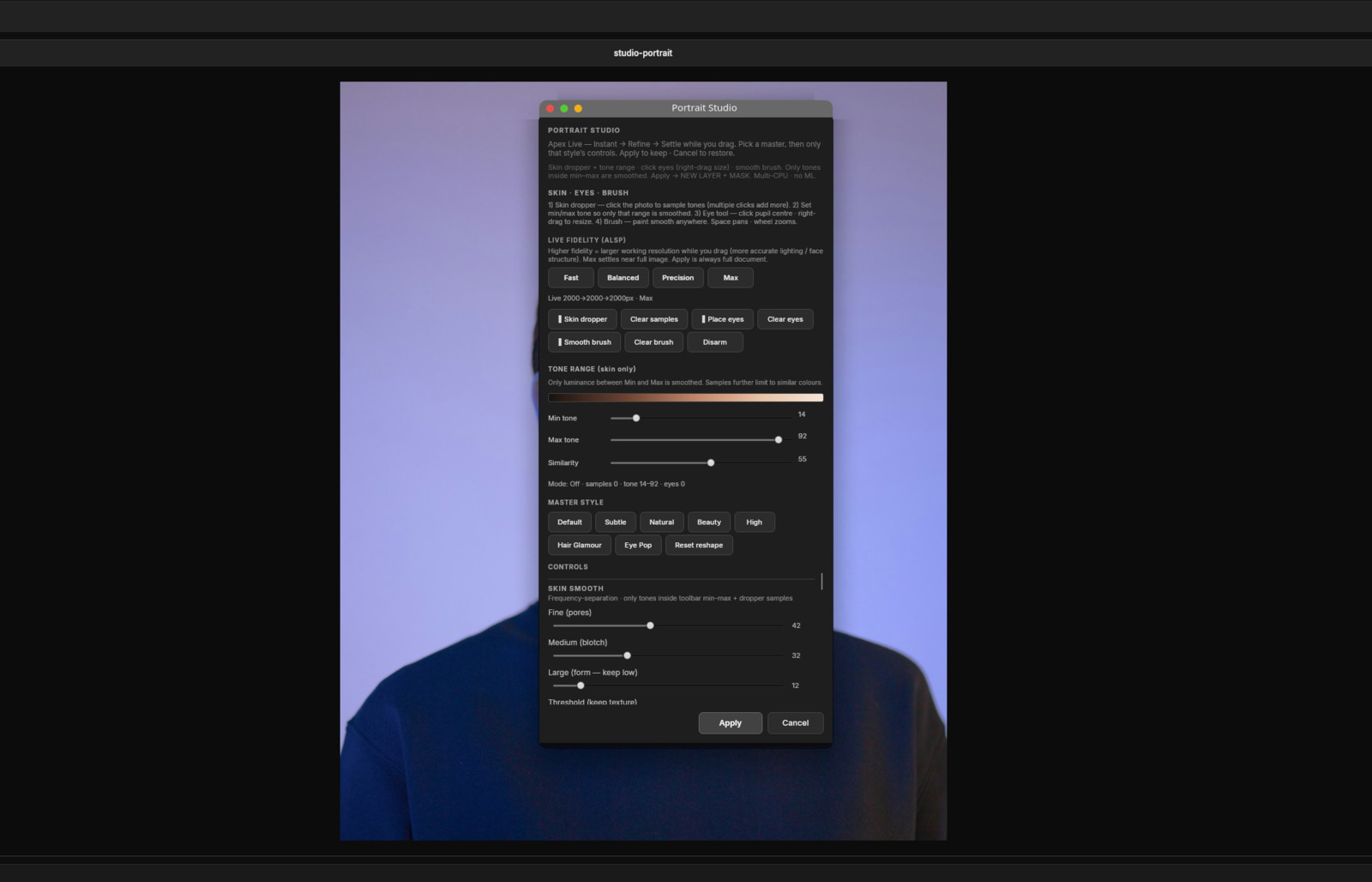
  • Portrait Studio — skin dropper · tone range · place eyes · smooth brush · Apply → new layer + mask
  • Denoise Studio — Super Denoise / ASNC · chroma null · edge-locked luma · blotch polish
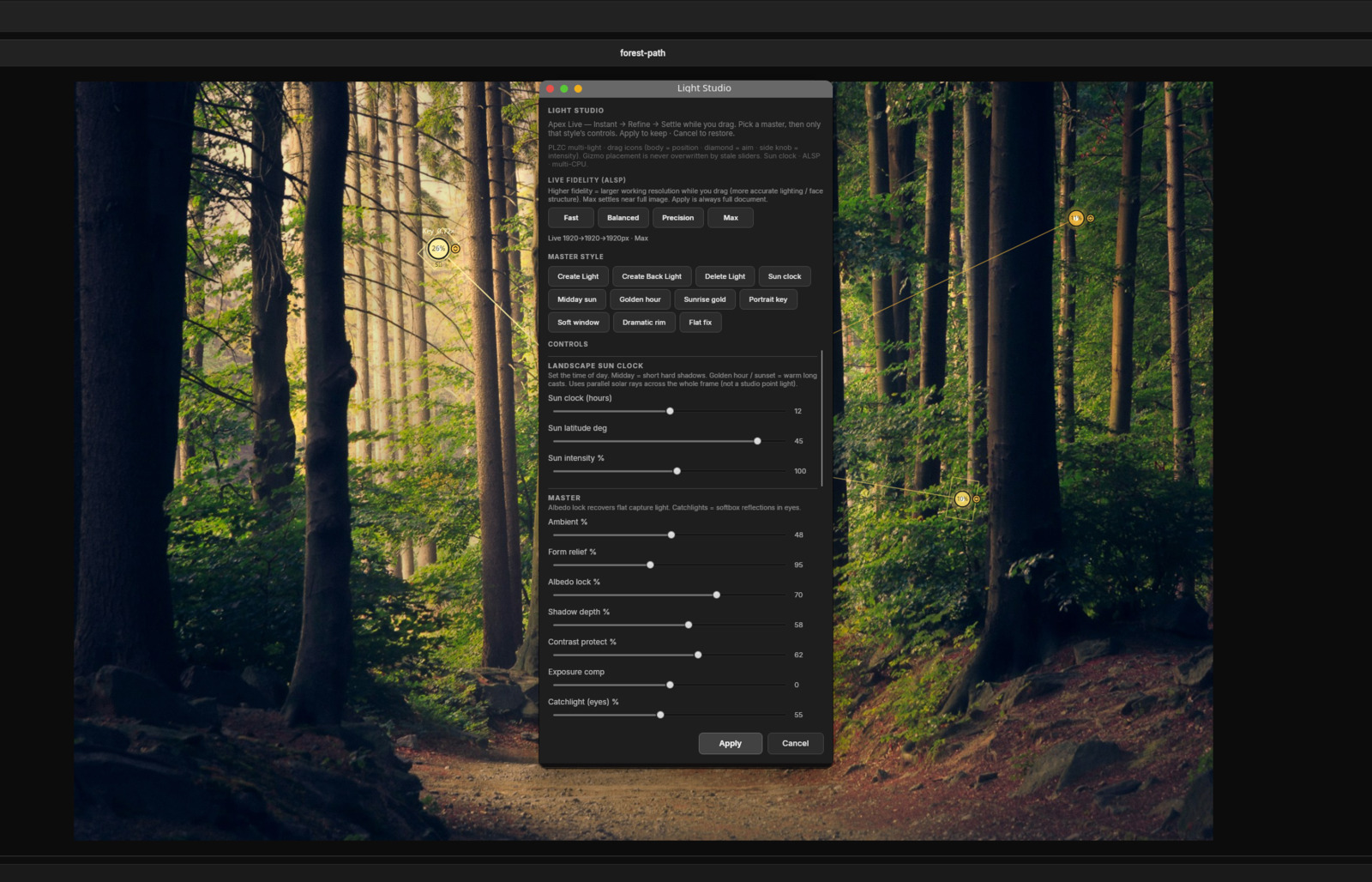
  • Light Studio — drag light icons · softbox · Kelvin · photometric occlusion · Instant previews
  • Apex Auto Levels — Spectral Tone Lattice · chroma lock · skin protect · soft knee
  • Levels Studio — black / gamma / white on luma lattice · Auto suggest
  • Curves Studio — Catmull-Rom multi-point · parametric S/M/H · Master / Luma / RGB
  • Black & White Pro — Zone System · spectral mix · structure · film-style presets
Also in Filter

Submenus & engines

  • Pro Tone & Film — Orton · Film Grain · Infrared · Cross Process (+ Open Develop…)
  • Pro Colour — Photo Filter · Gradient Map · Channel Mixer · Colorize
  • Blur — Box · Gaussian · Motion · Radial · Tilt-Shift
  • SharpenApex Sharpen (Spectral Edge Cascade) · USM · High Pass
  • Noise — Add Noise · Median / Dust & Scratches (denoise = Denoise Studio only)
  • Lens — Vignette · Lens Distortion · Chromatic Aberration
  • Distort / Stylize — Twirl · Ripple · Spherize · Emboss · Find Edges · Soft Glow · Pixelate · Halftone · Pointillize…
PS

Portrait Studio — pro retouch

Frequency-separation class skin work with user-driven targeting: multi-click skin dropper, min/max tone gates (protect clothes/walls), eye circles, smooth brush (Alt erase). Optional face lattice / reshape paths. Apply creates a dedicated retouch layer plus a paintable Gray8 mask — then open Curves / Levels on the photo layer, not a helper plate. ALSP fidelity for accurate live structure while dragging.

LS

Light Studio — photometric relight

Photometric Light-Zone Cascade: place and aim lights on the canvas, softbox size and penumbra, Kelvin colour, chroma lock so greys stay grey, real occlusion behaviour, and landscape Sun presets (midday / golden hour / sunrise). Instant previews while sliding; settle upgrades quality.

TN

Toning Studio

Named pro spectral tones with Soft Fade blend, warmth, contrast, saturation, shadow lift, highlight roll, and clarity — style-driven colour without forcing third-party LUTs.

DN

Denoise Studio

One Super Denoise engine: ASNC chroma blotch kill, edge-locked luma, acutance lock, large-scale blotch polish, underexposed boost, hot-pixel clean — multi-CPU, no cloud ML weights.

CV

Curves & Levels Studios

Interactive Curves (Catmull-Rom, parametric zones, channels) and pro Levels on a luma lattice with soft knee and chroma keep. Apex Auto Levels for robust percentile stretch when you want one click.

BW

Black & White Pro

Zone System–aware mono conversion, classic optical filter simulations, spectral channel mix, structure acutance, grain, and split-tone shadows/highlights — pure-black safe defaults.

AS

Apex Sharpen

Spectral Edge Cascade: dual-curve amount (subtle → deliberate oversharpen), multi-band detail/form, halo room, noise suppress, edge focus, dark protect, EPS — preferred over legacy USM for capture and output sharpening.

AL

Apex Live preview

Every major studio uses progressive live preview: Instant proxy while you drag, Refine, then full Settle. Space pans and Ctrl+Wheel zooms from studio windows.

A dark room built for finishing

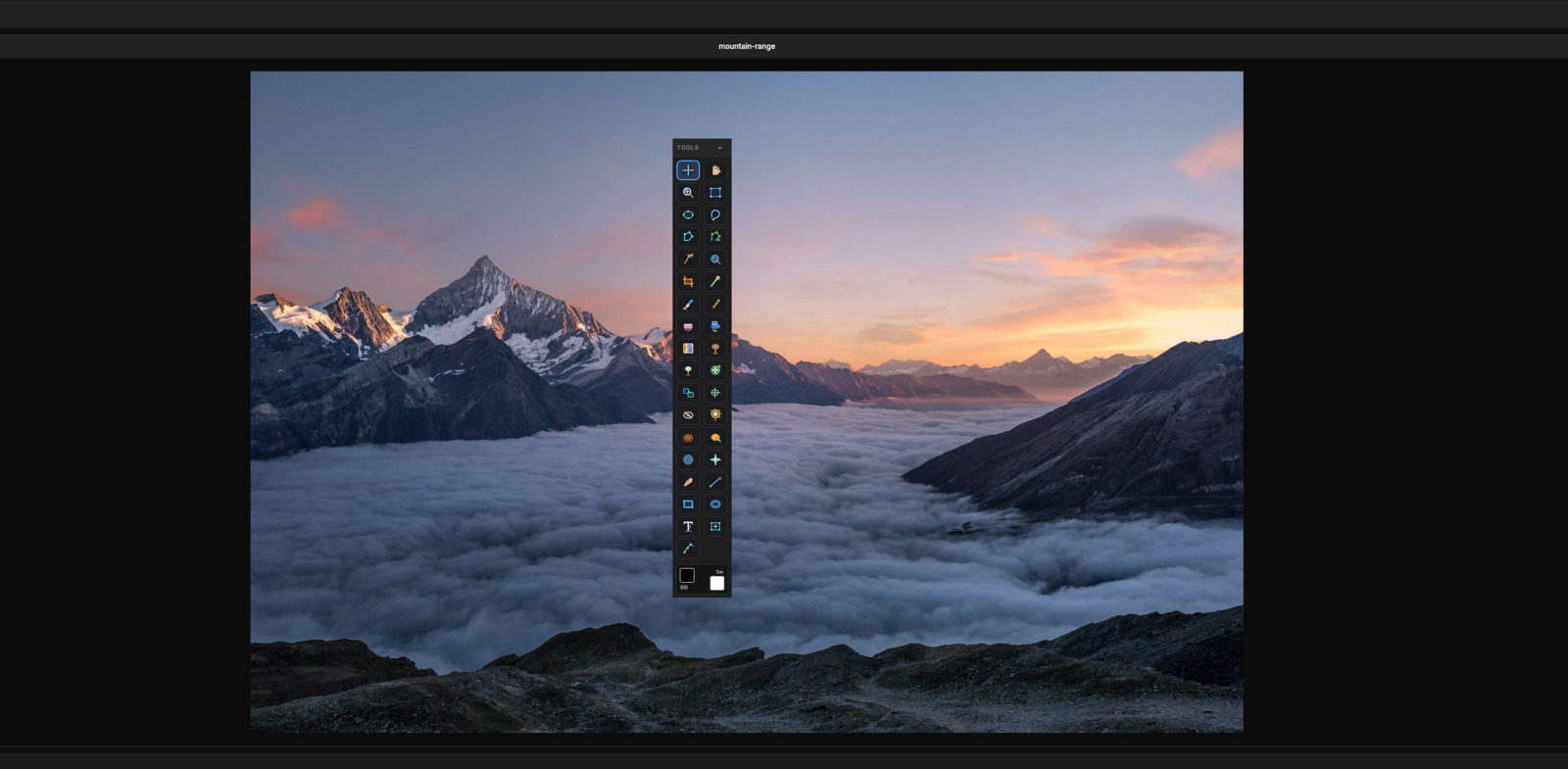
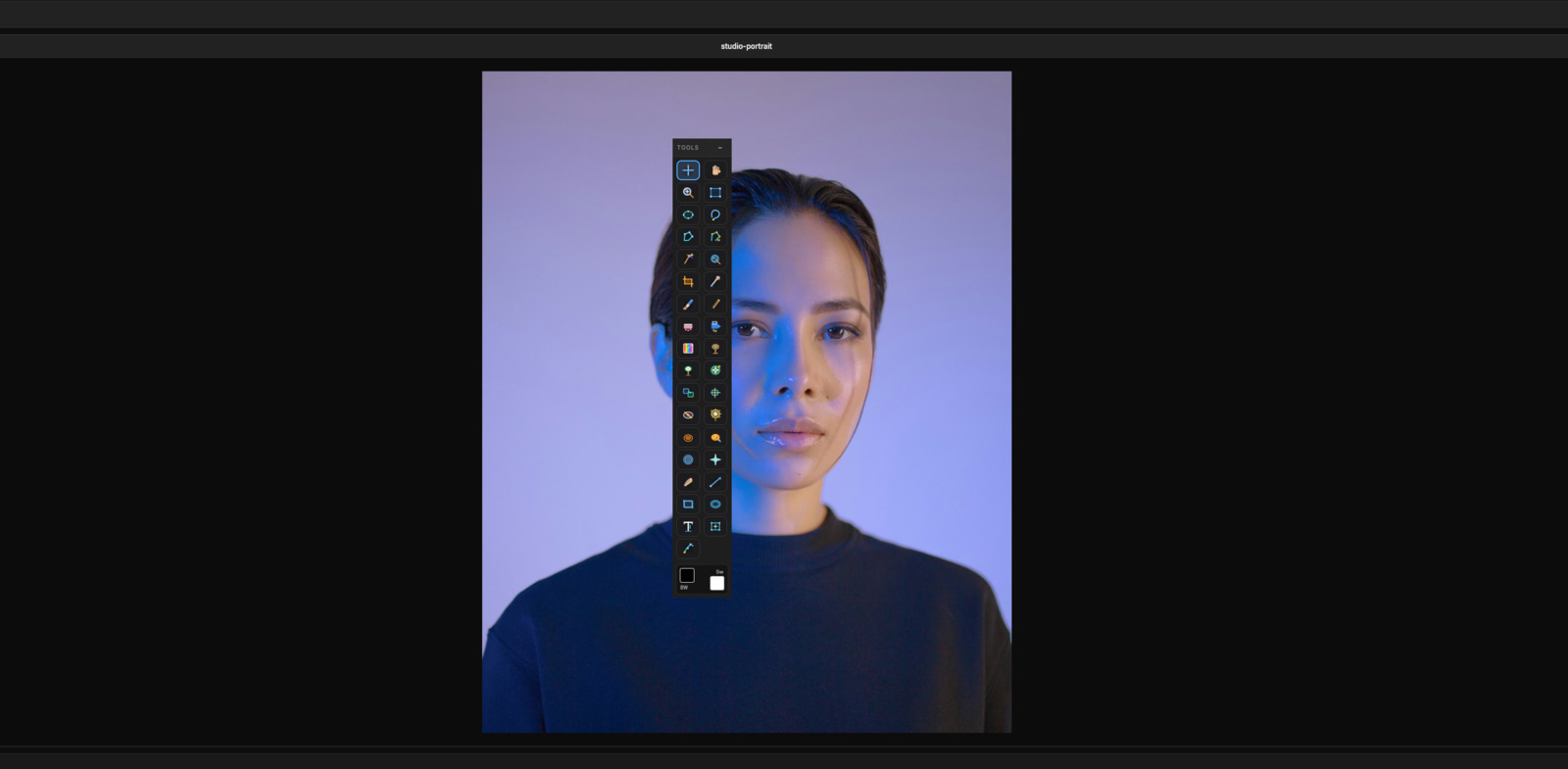
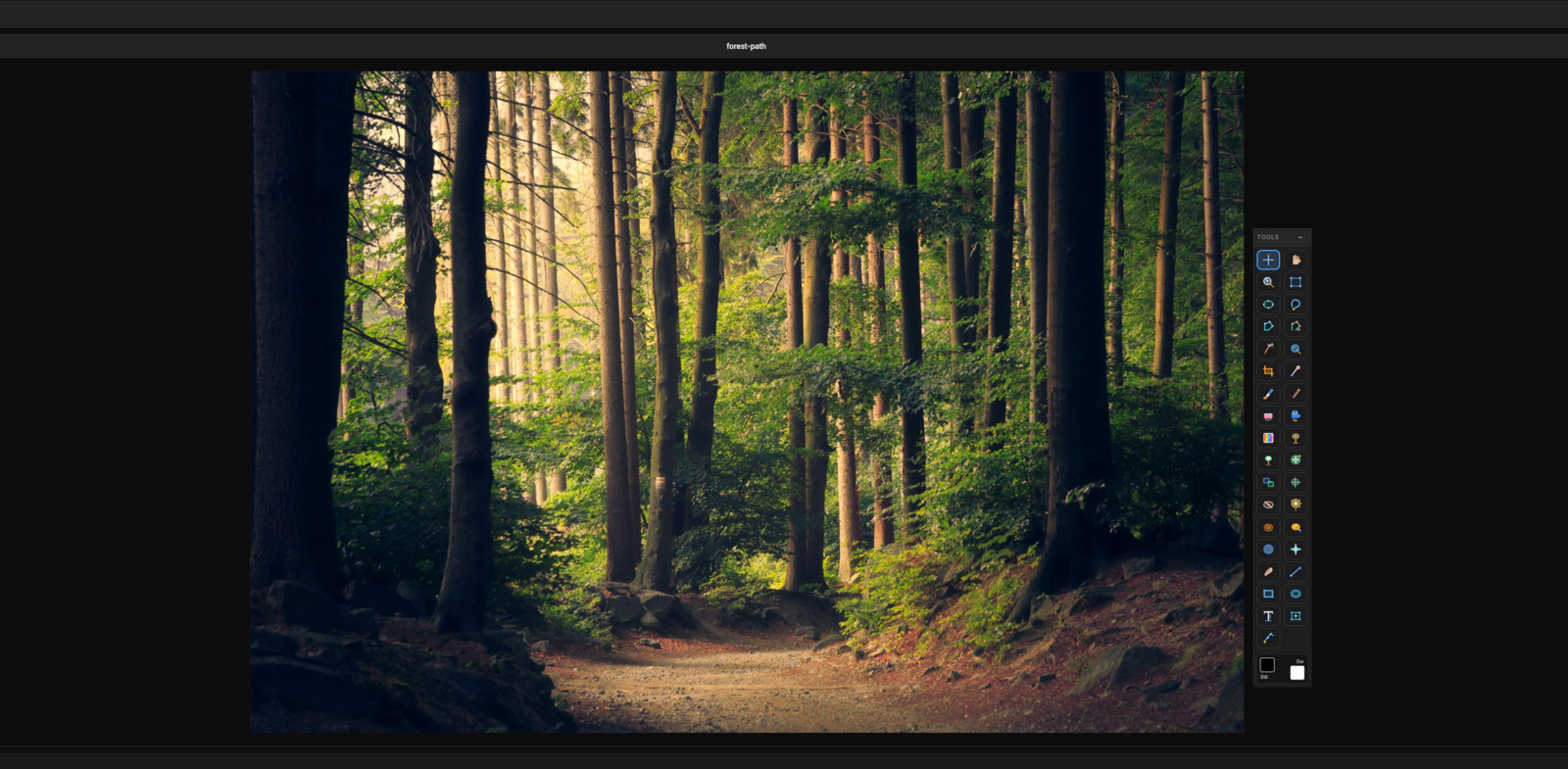
Layers, Develop, Pro Studios, and the full tool palette arranged for long edit sessions — not a mobile filter strip stretched to desktop size.

Non-destructive Develop

F6 / Develop panel: white balance, exposure, highlights/shadows, whites/blacks, texture, clarity, structure, dehaze, vibrance, vignette, parametric curves amount — live on the canvas, identity when at defaults.

Floating tool palette

Apex Icon System: move, marquee, lasso, wand, crop, brush, clone, healing family, dodge/burn, shapes, type, free transform — Space always pans, wheel always zooms.

Selections & retouch

Color Range, Refine Edge, luminosity masks, Content-Aware Fill / Move / Scale, Spot Healing, Healing Brush, Patch, Clone Stamp with sample-all-layers.

Loupe & catalog

Folder browse, stars / flags / labels, collections, double-click open into the editor — rate and cull without opening every file as a full document.

Export · Print · Batch

Export JPEG/PNG with quality and long-edge limits; colour-managed Print with soft-proof; Batch Studio .rlaction recipes for Develop + tone + sharpen across a folder.

Self-contained installers

Portable and .run / Windows packages ship the runtime with the app. No “install .NET 8 first” dance. Full Help User Guide in-app (studios, RAW, shortcuts).

Real workspace captures

Captured from RenniLink Photographer on Linux. Demo photographs are free commercial Unsplash stock — not from a personal library. Click a shot to enlarge.

Demo photo credits: Unsplash (commercial-friendly license). See img/photographer/STOCK-ATTRIBUTION.txt in the site pack.

Linux is a first-class platform — not a half port

Many “creative” tools treat Linux as an unsupported afterthought or a Wine experiment. Photographer is built and shipped as a full Linux desktop product — same engines and Pro Studios philosophy for Windows when that build ships.

LNX

Full Linux x64 (glibc) — available now

Self-contained portable zip — no system .NET, no package soup. Targets mainstream desktops: Ubuntu, Debian, Fedora, Linux Mint, Pop!_OS, Arch / Manjaro, and similar x86_64 glibc systems. Graphical session required (X11 or Wayland). Built and tested as a native Linux application.

WIN

Windows x64 — coming soon

Same ground-up editor, first-party RAW, Pro Studios, and trial / activate flow are planned for Windows. No Windows download yet — use the Linux trial now, or ask to be notified when Windows ships.

📦

Dependency-free delivery

PortablePublish single-file host with bundled runtime and natives. Customers download, run, and edit — they do not debug distro package versions.

🔑

Trial & full

Trial: 14 days of full pro features from first run.
Full: unlimited product binary, or trial + serial activation (email + RP1.… key, PC lock).

What you install

Linux

  • x86_64 glibc desktop
  • .run Setup or portable zip
  • Menu + Desktop icon
  • Full Pro Studios + RAW

Windows

  • Coming soon
  • Windows 10 / 11 x64 planned
  • Same engines as Linux
  • No download link yet

Not required

  • No system .NET / Mono
  • No mandatory cloud account
  • No subscription to open your files
  • No Wine for the Linux build

Beta note

  • Public Beta evaluation
  • Keep backups of masters
  • In-app Help User Guide
  • Contact sales

What you need

Operating system

  • Linux x64 (glibc) — Ubuntu 22.04+, Debian 12+, Fedora, Mint, Pop!_OS, Arch… (trial now)
  • Windows 10 / 11 (x64) — coming soon (no download yet)
  • Graphical desktop (X11 or Wayland)

Hardware

  • CPU: 64-bit multi-core recommended
  • RAM: 8 GB min · 16 GB comfortable for large RAW
  • Display: 1920×1080 or higher recommended

License

  • 14-day trial, then activate for full use
  • Activation locks to one PC
  • Offline serial verify — no always-on DRM cloud

Not required

  • No system .NET / Mono install
  • No mandatory cloud account
  • No subscription to open your own files

Trial · lifetime license · limited-time price

£119 one-time for a lifetime 1-PC license (introductory offer — may rise later). Linux trial now · Windows coming soon · offline serial · no subscription.

14-day Trial

Linux x64 now · Windows coming soon · full pro features
Free for 14 days

Open your own CR2 / NEF / DNG and JPEG workflows on Linux. After day 14, activate with a vendor serial to continue on that PC.

  • Self-contained portable zip (no system .NET)
  • Multi-brand RAW path
  • Layers, Develop, Pro Studios
  • Help → Activation · Copy PC ID for purchase
  • Windows trial: coming soon — no download yet
Download trial — Linux x64 Windows x64 — coming soon

Linux: unzip → chmod +x RenniLink.Photographer./run-photographer.sh (or the app binary)

How to purchase and activate

Serials are locked to one PC. You send a PC ID from the app so we can issue a key that only works on that computer.

  1. Download and install the Linux trial (x64).
    Linux x64 zip · Windows coming soon (no download yet)
  2. Copy your PC ID
    Open Photographer → Help → Activation…Copy PC ID (looks like RLP-A1B2-C3D4-…).
  3. Pay £119 with PayPal (limited-time lifetime price)
    Pay with PayPal — £119
  4. Email for your serial
    Send to Contact sales with:
    • PayPal purchase / transaction ID (from your receipt)
    • Email address for the serial (must match Activation)
    • Your PC ID (RLP-…)
    • Platform: Linux (Windows trial not published yet)
  5. Activate
    Help → Activation… → enter that email + full serial (RP1.…). Full Photographer unlocks on that PC only.

Once your serial key has been issued, the sale is final and non-refundable (digital goods bound to your PC ID). Questions: Contact sales

Photographer

Enhance. Edit. Elevate.

RenniLink Photographer (Beta) — ground-up engine, Linux trial now, Windows coming soon, pro layers, first-party RAW. Lifetime 1-PC license £119 limited time.

Download trial Buy £119 Contact sales